
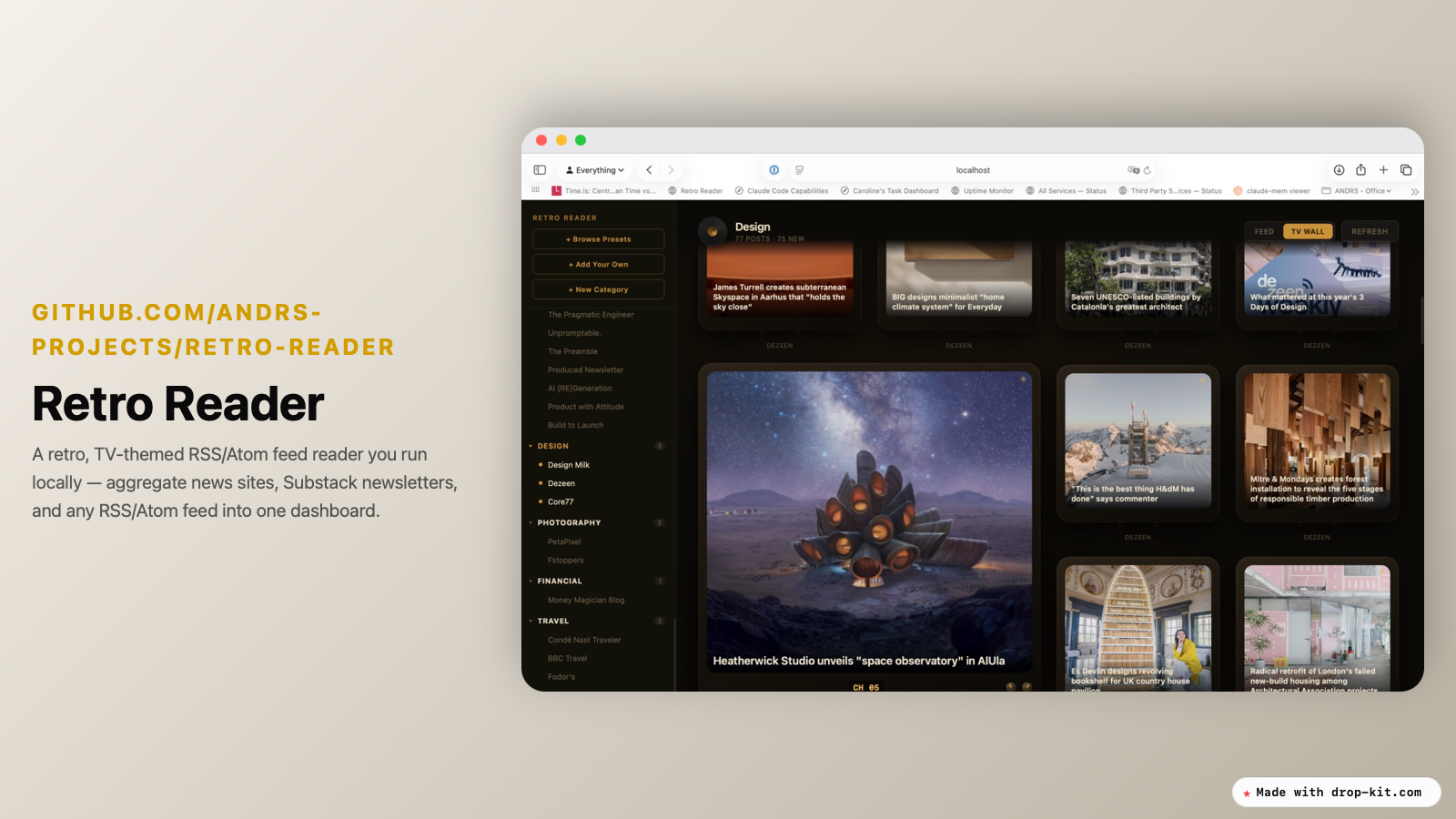
I spend a lot of time reading. Substacks, news sites, the odd subreddit, the occasional blog that still bothers with RSS. The problem isn't finding things to read — it's that every source wants me to read it on its own terms. Open the app, check the inbox, scroll the feed, dodge the algorithm. By the time I've checked five sources, I've forgotten what I was looking for.
So I built Retro Reader. It's a feed reader that pulls everything — news sites, Substack newsletters, Reddit, any RSS or Atom feed — into one dashboard, styled like an old TV set. You run it locally. There's no account, no tracking, no algorithm deciding what you should see next. Just your feeds, in the order they actually published.
Why local, why retro
I didn't want another browser tab competing for my attention with a dozen open-source-but-still-somehow-tracking-you reader apps. Retro Reader is a vanilla Node.js app — built-in http/https modules only, zero npm dependencies. No build step, no database. It runs as a single process, serving a static page and a small JSON-file-backed API. You start it, it works, and there's nothing phoning home.
The TV-themed interface is partly aesthetic preference and partly a point: reading the news shouldn't feel like checking a dashboard for work. It should feel a little more like turning on a set and seeing what's on.
What's actually in it
- 40+ preset feeds — a curated starting list across news, tech, and culture, so it's useful the moment you open it
- Bring your own links — add any RSS or Atom feed, including Substack newsletters and Reddit threads, alongside the presets
- One dashboard — everything aggregated and sorted, no jumping between apps or tabs
- Runs entirely locally — no signup, no cloud sync, no third party reading over your shoulder
Getting it running
Clone the repo, run it, open the page. There's no build step and no database to configure — the app reads and writes a JSON file on disk, and that's the whole storage layer. If you can run node, you can run this.
Why this matters to me
Most of what gets called a "reader" today is really a re-engagement engine — built to bring you back, not to help you read efficiently and move on. Retro Reader is the opposite of that. It's a tool, not a habit loop. Add your feeds, read what's there, close it. No notifications chasing you back.
It's open source and free. If you want to add a feature or fix something, the repo's open for it — find it on the ANDRS Projects GitHub.
Two more things worth mentioning
More than 40 presets included, but room to add your own. The default list isn't a token starter set — it's over 40 feeds spanning news, tech, and culture, picked so the dashboard is genuinely useful the first time you open it, not an empty shell waiting for you to configure it. You're not starting from zero.
But presets are a starting point, not a ceiling. Anything with an RSS or Atom feed — a Substack, a niche blog, a subreddit, a company changelog — can be dropped in alongside them. The preset list gets you reading on day one; your own additions are what make it yours.
Respecting Reddit's API. Reddit has spent the last couple of years closing the loopholes — locking down the API, rate-limiting anything that smells like a scraper, even on the old RSS endpoints. If you hit a subreddit's .rss feed a few times in a row, you'll get a 429 regardless of how politely you space out the requests.
So Retro Reader doesn't try to outsmart that. It just respects it — fetches subreddit RSS feeds slowly and patiently, the way a human with a few tabs open would, rather than the way a scraper would. Under the hood it's a simple check: any feed URL containing reddit.com gets fetched slowly and cached longer, while everything else loads fast and concurrently. The result is that subreddits sit in your dashboard right alongside your newsletters and news sites, no API key, no app registration, no scraping arms race. You get a calm, current view of the communities you care about, without anyone needing to treat you like a bot.